The breeding module in Equihub helps you manage full breeding cycles for all mares in your stable, track embryos, monitor upcoming activities, and record foal outcomes — all in one place.
Navigate to Breeding → Mares to see all mares currently active in your breeding program. To add a mare, click Add mare from stable and select from your existing horses.
To begin a breeding cycle, open a mare's profile and click Start new cycle. You'll be prompted to select a mare type. There are four options:
Each type generates a different set of stages and activities, pre-configured to match the protocol.
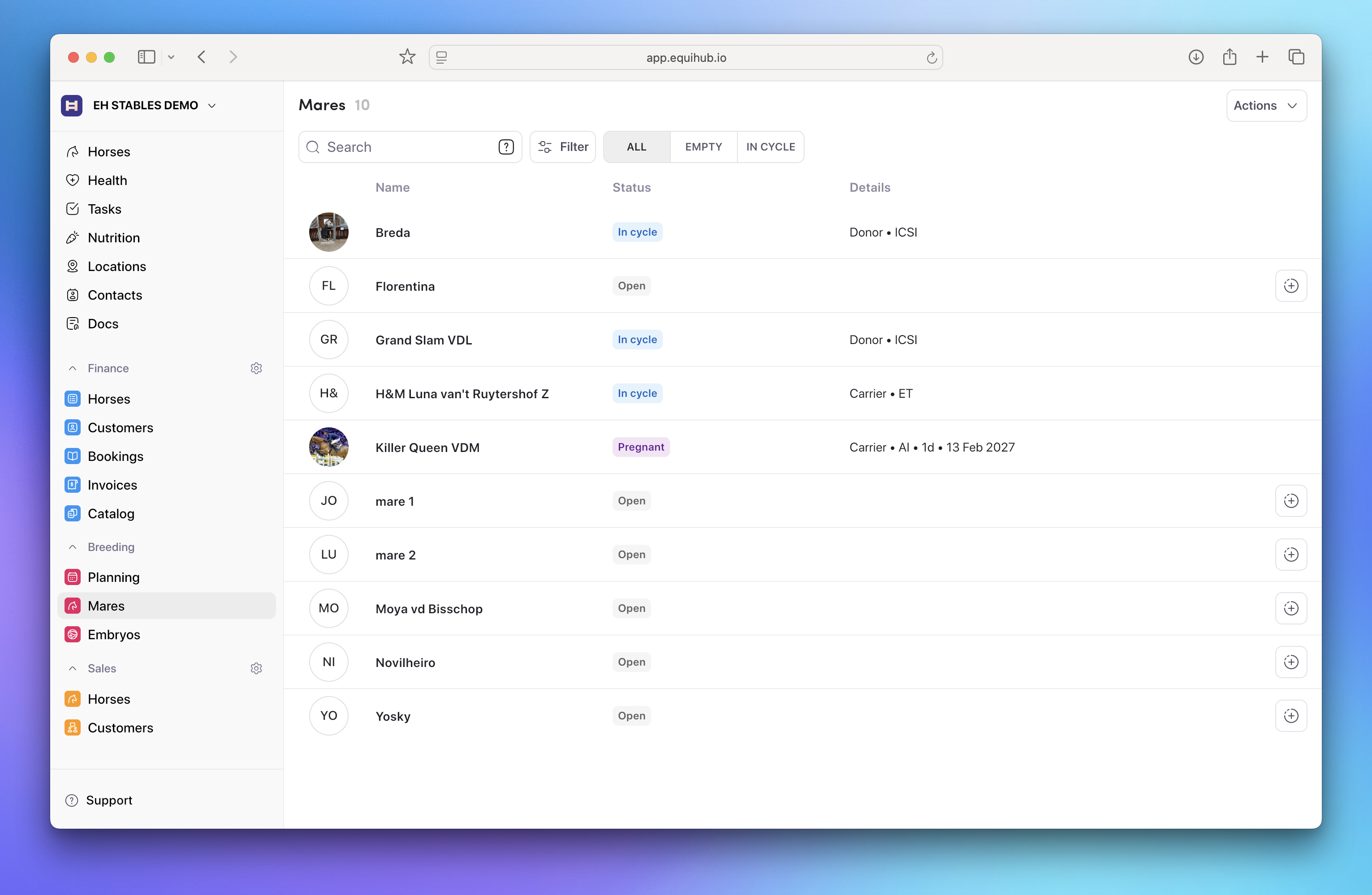
Once a cycle is started, you'll see the relevant stages and activities for that mare type. For example, a Donor ICSI cycle includes a Preparation stage (confirming follicle presence) and a Fertilization stage (OPU collection and ICSI).
For each activity, you can record:
This ensures no information is lost and every team member has full visibility into what has been done and what remains open.
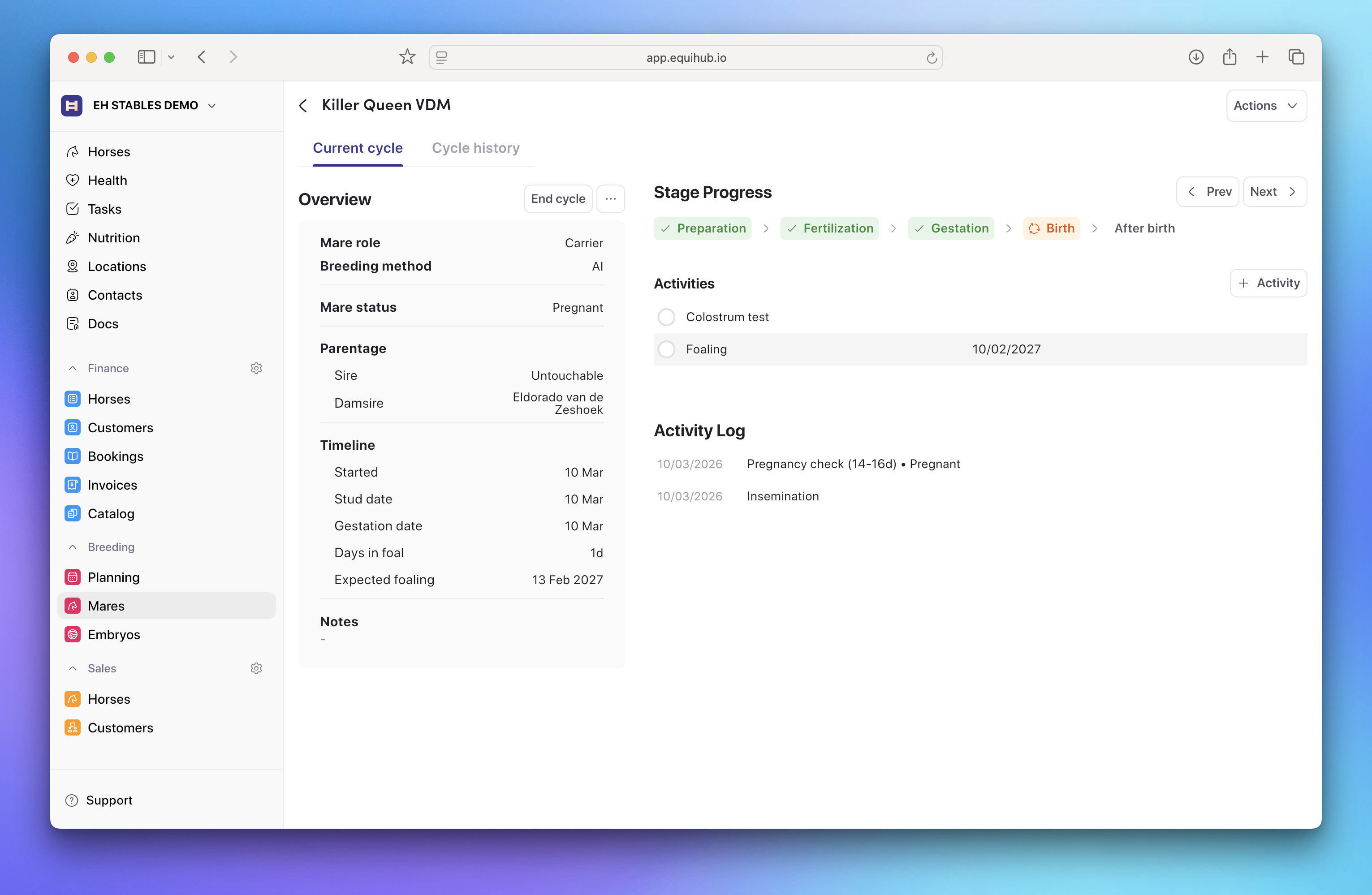
Each cycle stores key data including the breeding method used, parentage information, and a full timeline of activity.
When a foal is born or embryos have been successfully collected, close the cycle by clicking End cycle. Mark the outcome as Success or Failed and complete any remaining fields. For donor cycles, you can specify how many embryos were successfully produced.
Each mare has a full cycle history showing past outcomes, mare types, and methods used. This helps you identify your most productive mares over time.
Navigate to Breeding → Embryos to manage your embryo inventory.
Embryos produced during a Donor cycle are added to this list automatically, with reference numbers and parentage pre-filled. For each embryo, you can set:
You can also add additional information including insurance details, notes, and attachments.
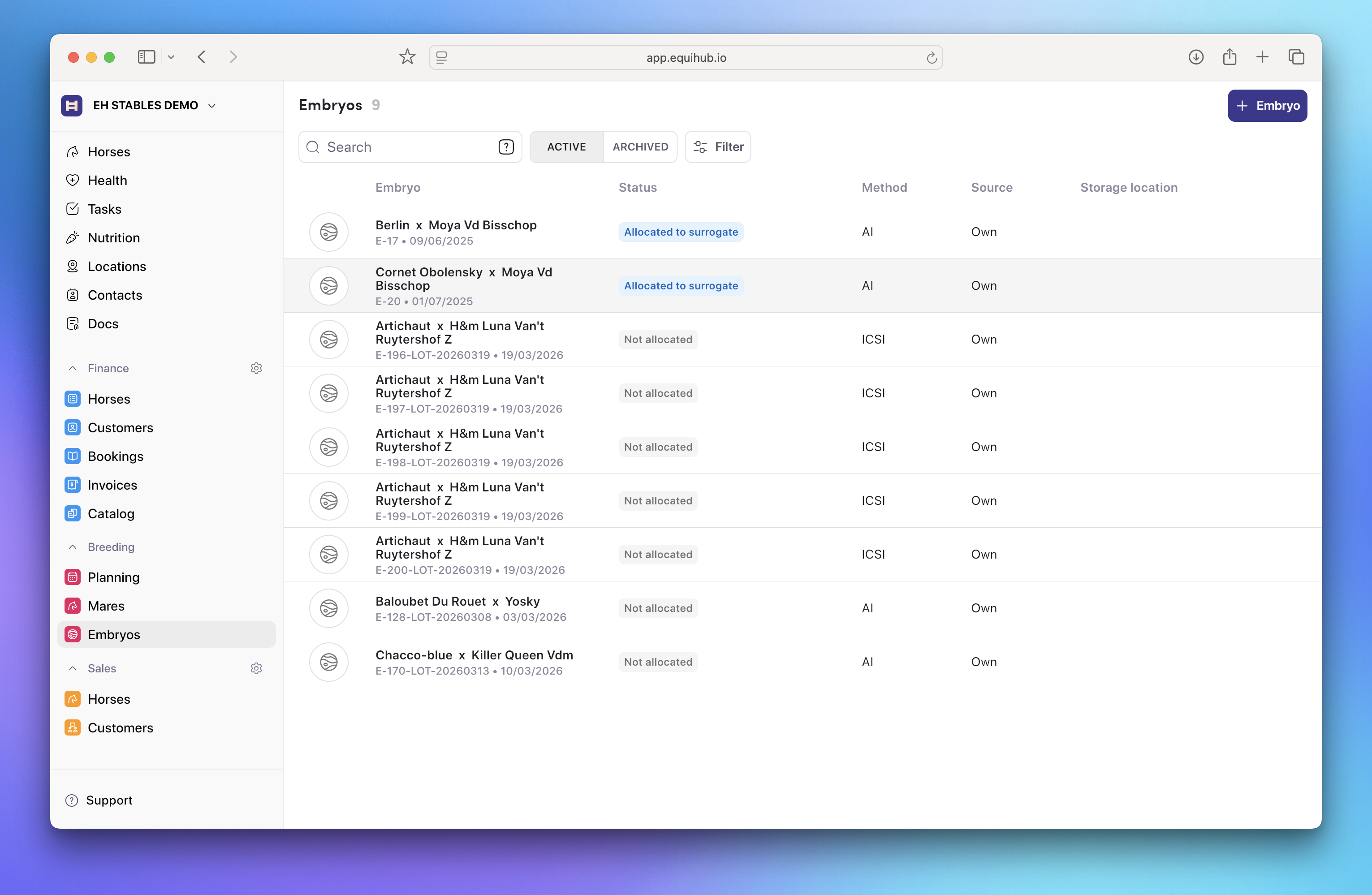
To manually add an embryo — for example, if you have existing stored embryos or have purchased an embryo externally — click Add embryo and complete the form.
Go to Mares, open the relevant mare's profile, and start a new cycle. Select Surrogate ET as the cycle type. Once the cycle is created, go to the embryo assignment section and click Update embryo to select the embryo that will be transferred to this surrogate.
The Planning screen gives you a weekly overview of all upcoming breeding activities across your mares. Activities that are past due and not yet completed are highlighted, so nothing falls through.
When a pregnancy is successfully completed and a foal is born, Equihub automatically creates a horse record for the foal in your stable, pre-populated with the relevant breeding information. From that point forward, you can track and manage that horse through training, competition, and sales — all within the same platform.