It is easy to remember the purchase price of a horse, but it’s the day-to-day care that tells the real story. Tracking these costs serves several purposes:
Understanding the True Cost: Get a bird's-eye view of all costs to make informed decisions about their care & future.
Easy Invoicing: If you manage horses for clients, you need a foolproof way to ensure every treatment is billed accurately. No more scouring through notebooks at the end of the month!
Protect your margins: For those in the business of buying and selling, your profit isn't just Sale Price minus Purchase Price. By logging every health activity as a cost, you gain a clear picture of your total operational investment. This allows you to understand your actual margin when the horse is sold, ensuring your business stays profitable.

Equihub streamlines the bridge between the stable and the office. Follow these four simple steps to convert care into cost:
Start by recording the work done. Whether it’s a vaccination, a specific medical treatment, or a routine check-up, log it under the horse’s health profile as you normally would.
Once the activity is logged, head over to the Finance module in the sidebar. Select Horse, choose the specific horse you’re working with, and click on the "To Book" tab.
In the "To Book" tab, you’ll see a list of health activities waiting to be processed financially. Review the activity details.
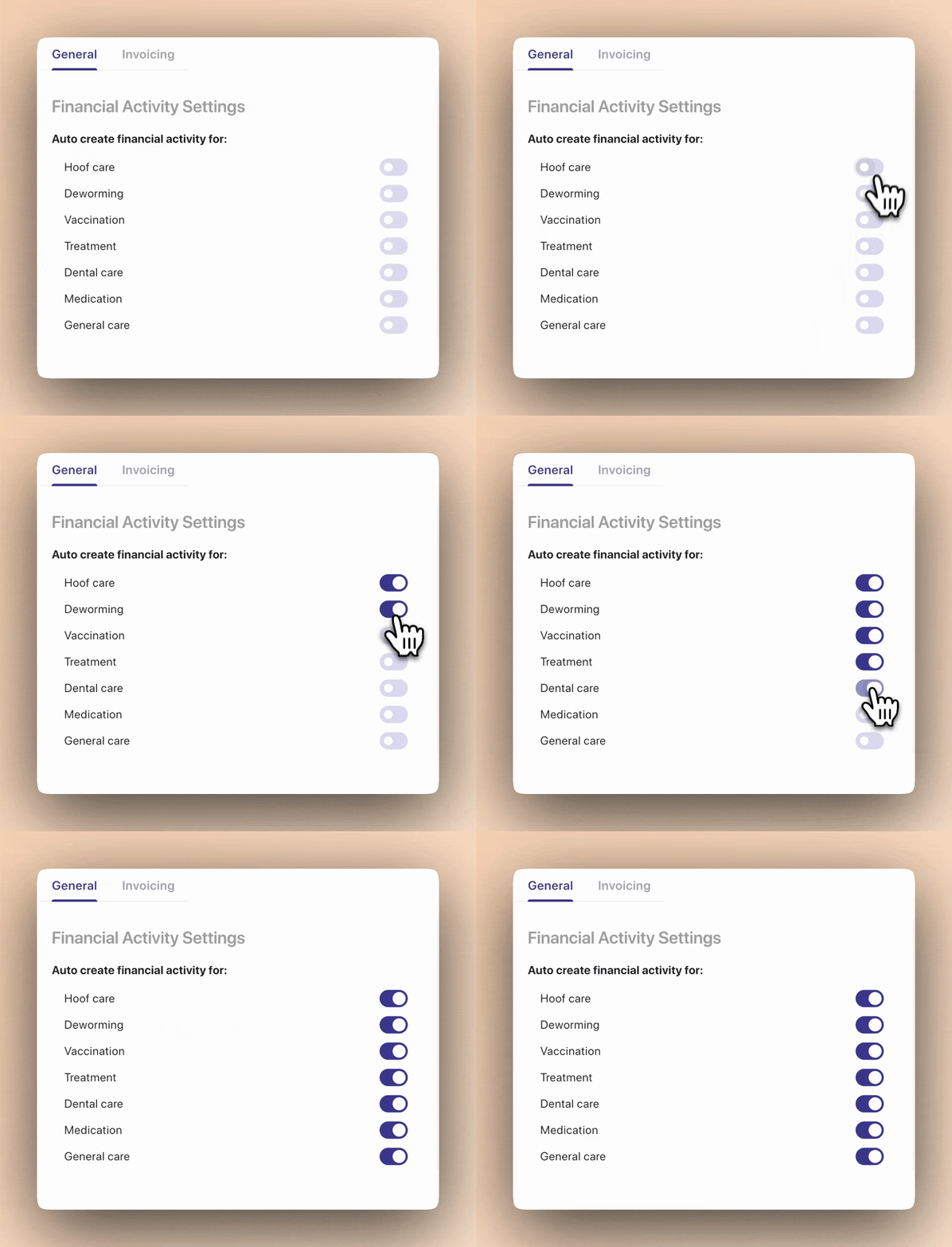
PRO TIP Don't see any items under To Book? Make sure this setting is enabled under Finance > Settings
Click Book on the item you want to turn into a cost entry.
A window will appear allowing you to refine the entry.
Fill in any remaining details.
Click Save.
PRO TIP To save even more time, use predefined catalog items. By setting up your prices and services beforehand, Equihub will automatically populate the costs for you, reducing manual entry to nearly zero.
Once you hit save, two things happen automatically:
Transparency: The cost is immediately added and visible in the "Bookings" tab for that horse. Organization: The original To Book item is tagged as Booked, ensuring you never double-bill or miss an expense again.