Team members can access Equihub with their own login and permissions.
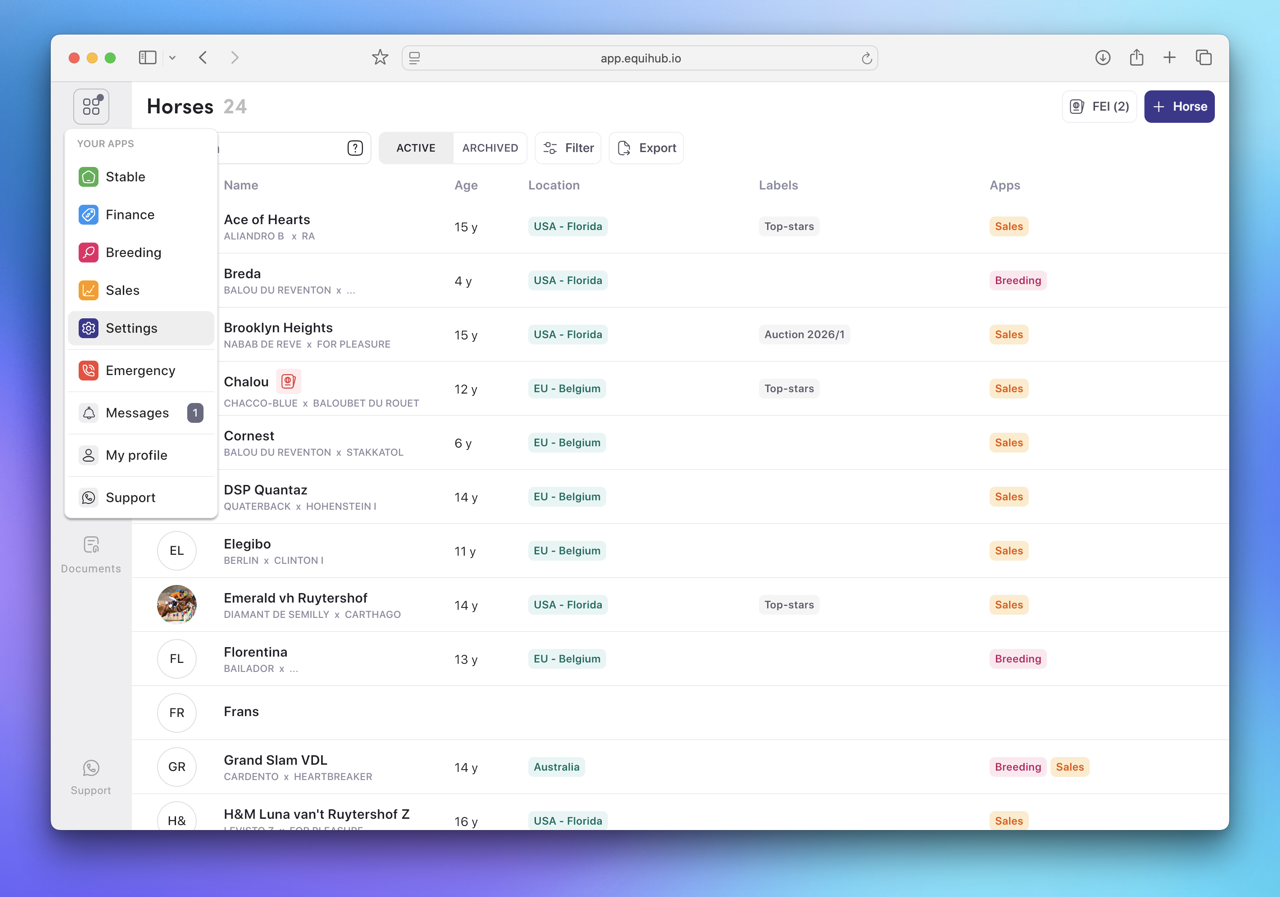
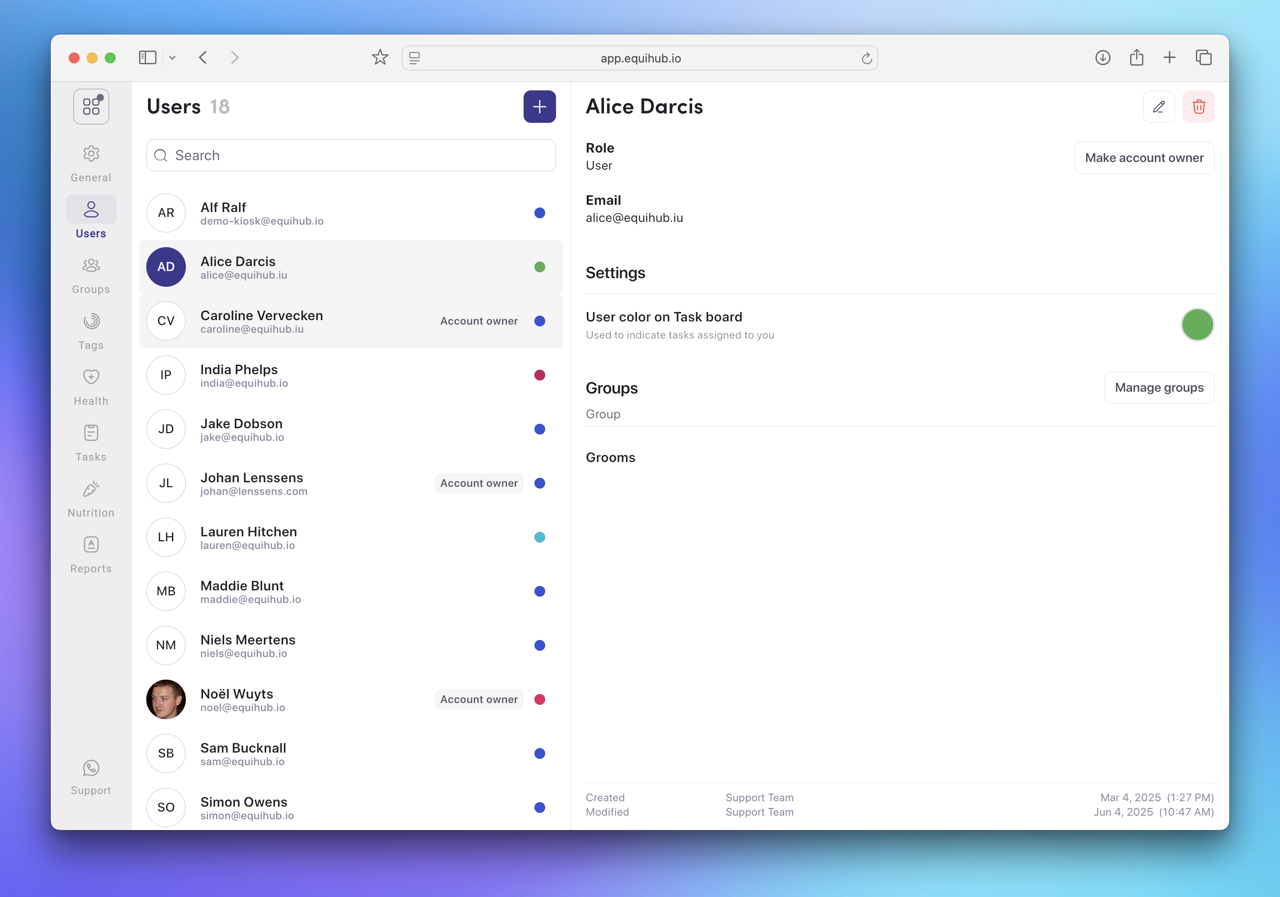
Only an Account Holder or users with the "Settings > Users & Groups" permission can add users.
They will receive an email with a link to set their password and join your account.
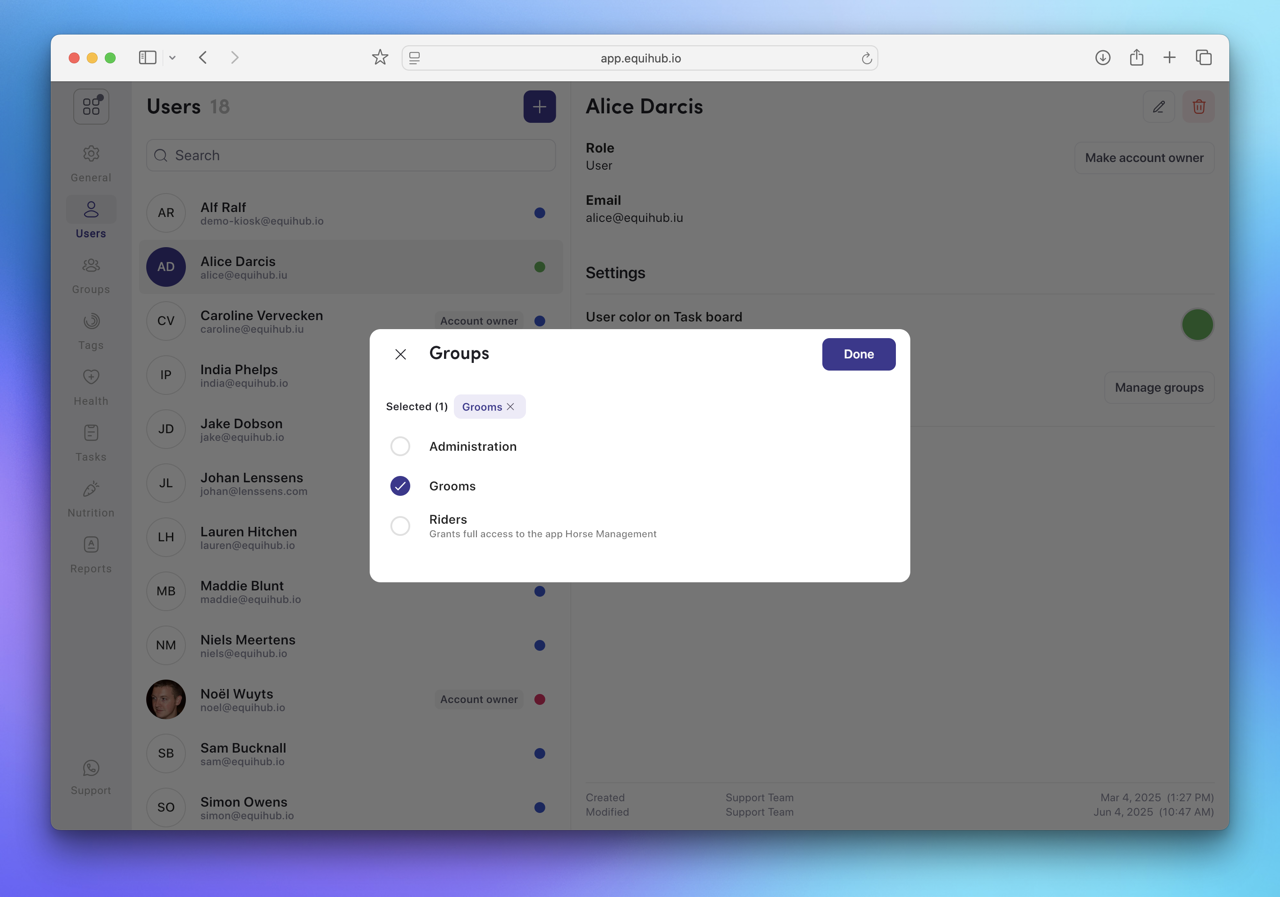
Before a team member can access their account, you need to set their permissions. Permissions determine what a user can see and do in Equihub.
An account owner is a special type of user within Equihub. They have full access to everything within Equihub, including subscription and billing details. Account owners can also create other account owners when needed.
All users, except account owners, should be added to a User Group. A user group can be given access to parts of Equihub, Stable, Finance, Breeding, Sales and Settings. Withing each of these permissions can be granted. For example, within Stable you can specify if a group can access Horses, Tasks, Health, ... This allows fine-grained access control for you and your team.
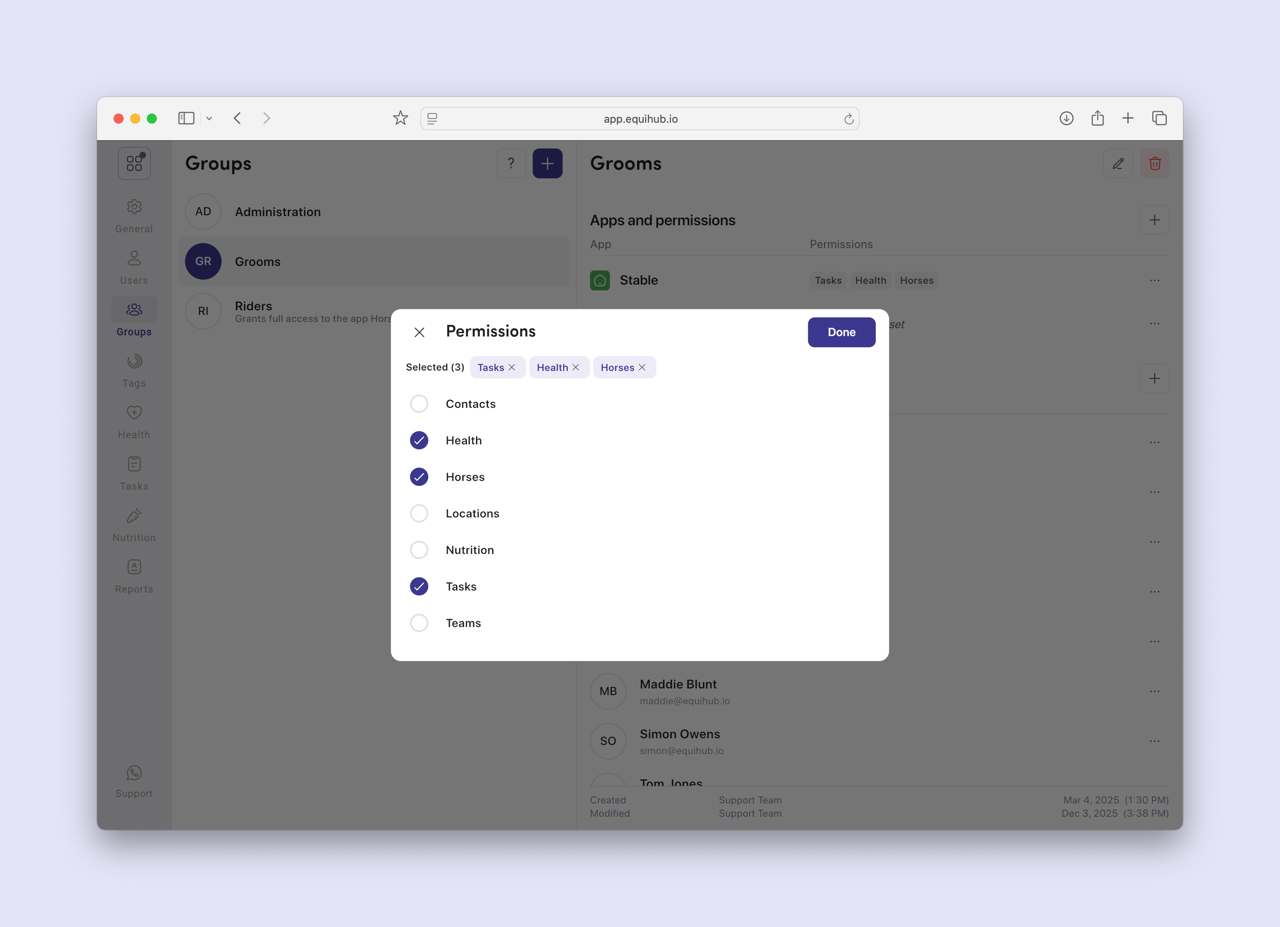
Examples of different groups could be: Riders, Grooms, Office, ...
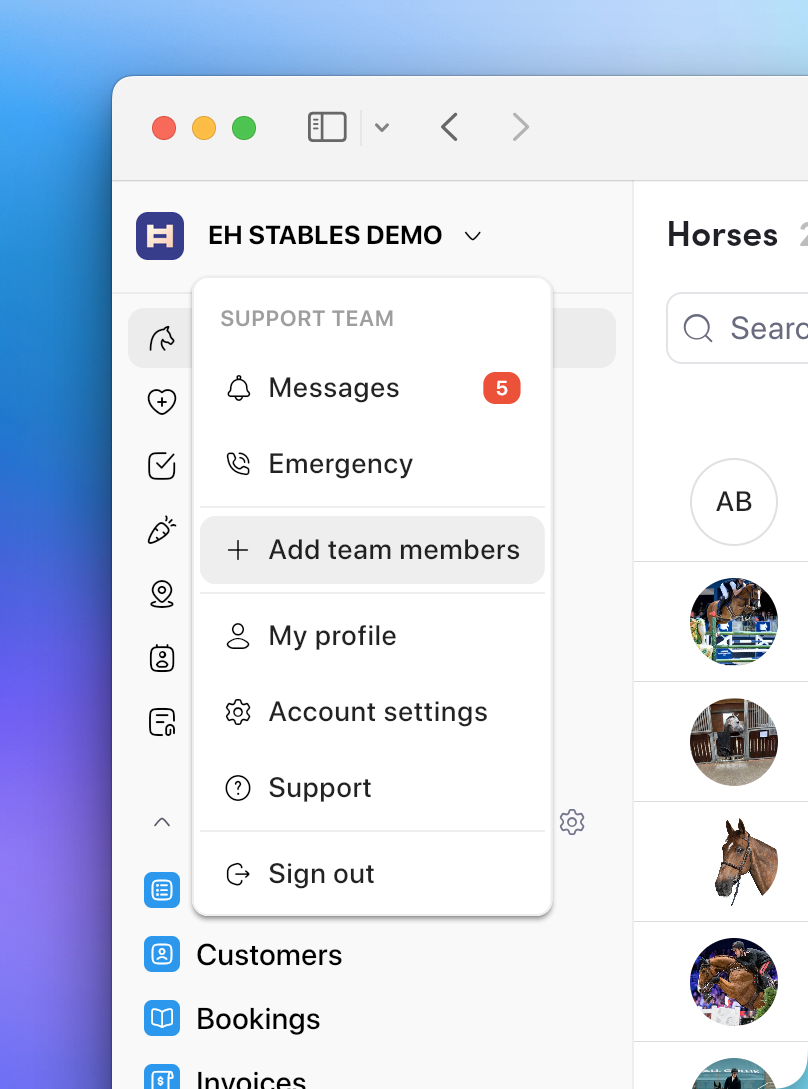
You can quickly add a new team member by selecting "Add team members" in the popup menu.
In Settings → Users, click the member and choose Delete. Their access is revoked immediately. Historical data they created remains in the account. You can only delete regular users. Not account owners. If you need to delete an account owner, make them a regular user first.