

How-To Guide: Sending Your First Peppol Invoice with Equihub
2 min read
As explained in our blog about 2026 E-Invoicing Mandate, sending E-invoices is a legal requirement for Belgian companies. Follow these three simple steps to connect to the Peppol network and send your first digital invoice through Equihub.
Step 1: Register Your Business as a Sender
First, you need to "introduce" your business to the Peppol network.
- Navigate to Finance > Settings.
- Under the E-invoicing section, enter your Enterprise ID (VAT Number).
- Equihub will perform an automatic Peppol Identity Check.
- Once the indicator turns Green, Verified, your account is officially linked and ready to send.
 Peppol Identity check in Equihub
Step 2: Verify Your Customers
Before sending, you need to ensure your customers is registered to receive electronic documents.
- Go to Customers and select an existing customer or add a new one.
- Enter the customer's VAT or Enterprise ID and click Save.
- Ensure a valid email address is also provided.
- Check the "Document Delivery" section. If the Peppol registration check indicates "Registered," you can send them e-invoices directly!
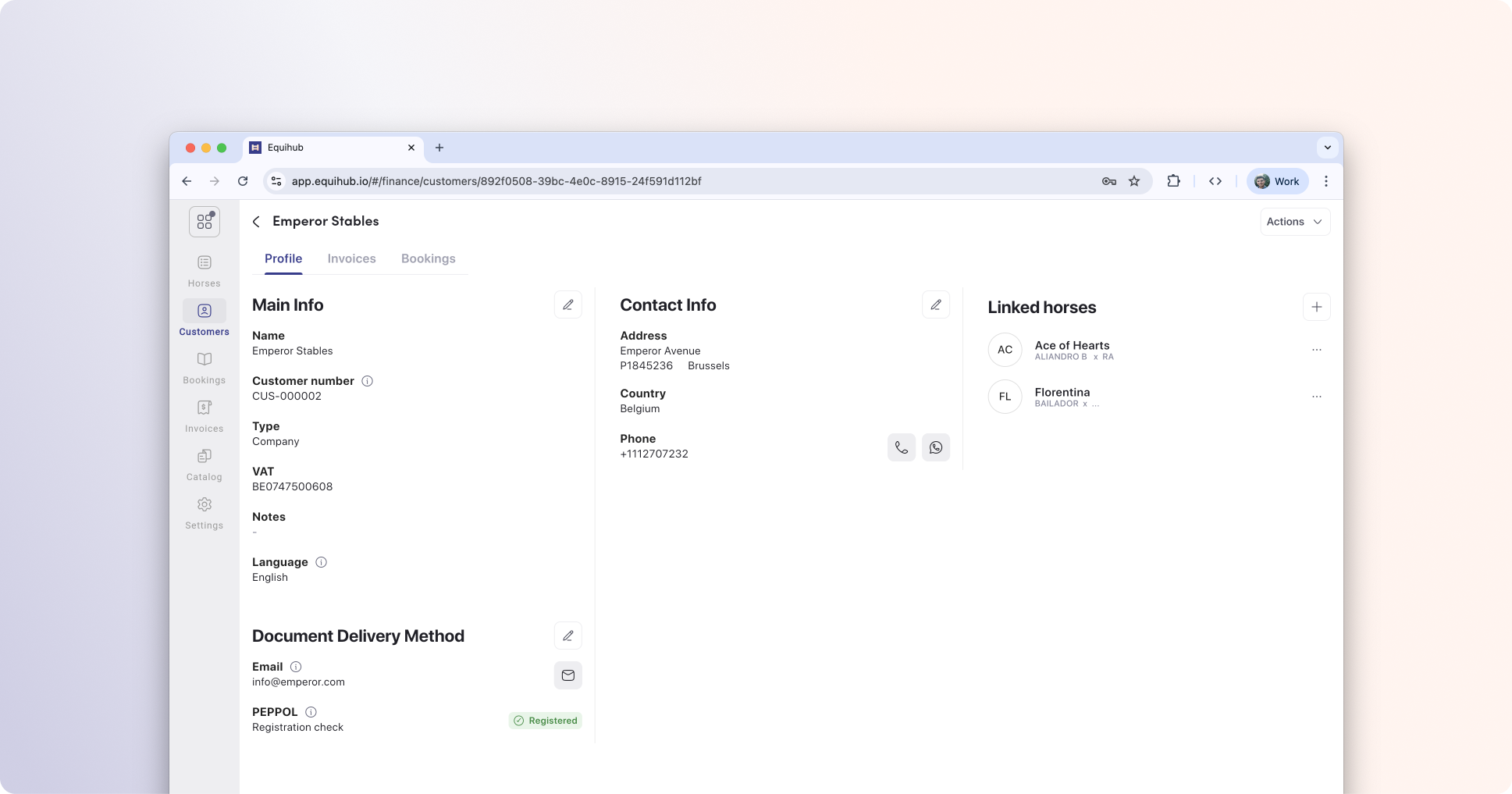 Peppol registration check in Equihub
Step 3: Create and Finalize Your Invoice
Now, your are ready to create and send you first E-invoice.
- Go to Invoices and create your invoice as you normally would.
- Click Finalize.
- A prompt will appear asking if you want to send the invoice via Peppol.
- Pro-tip: You can also choose to send a copy via email simultaneously so your customer has a PDF for their own records.
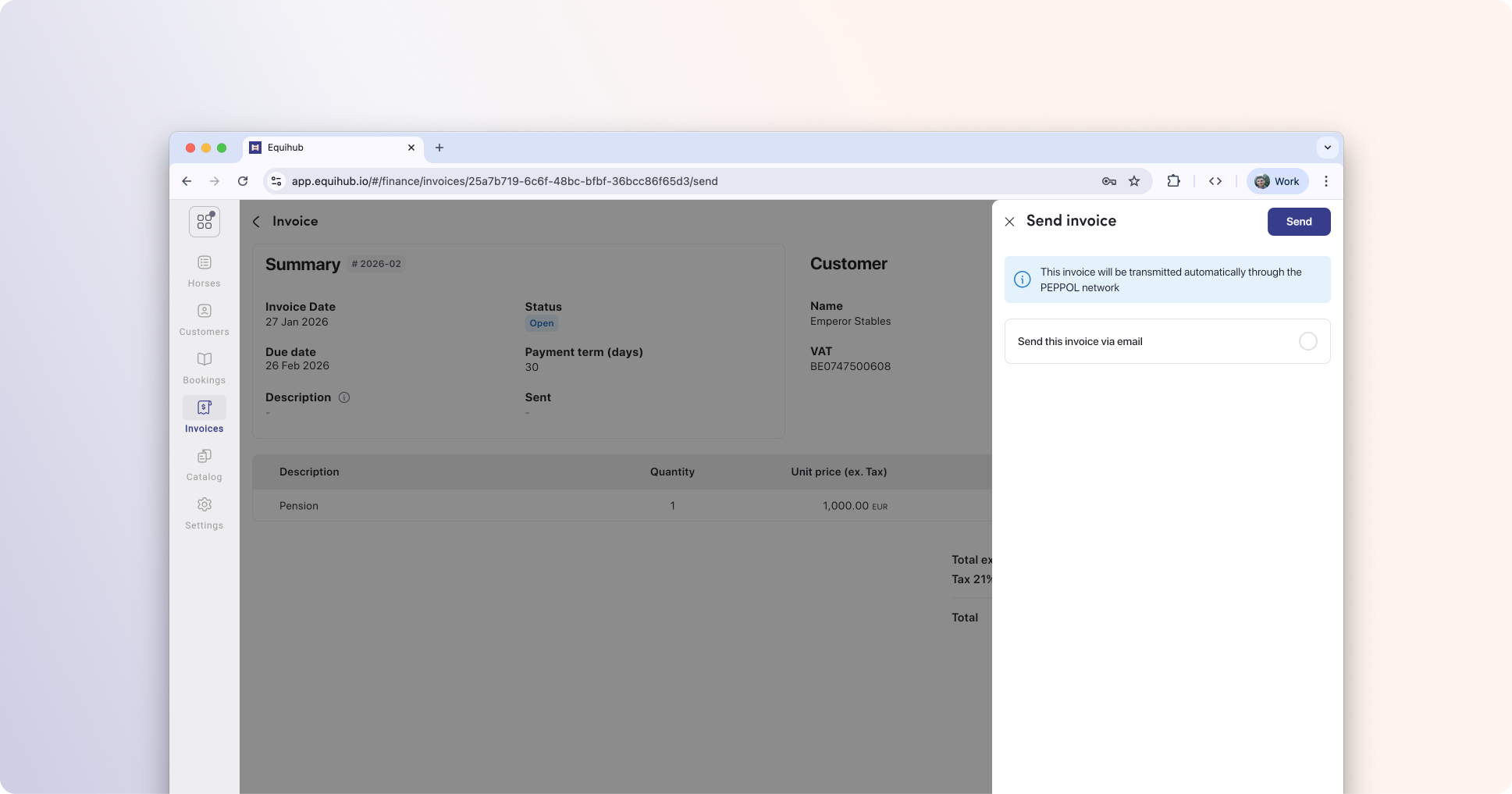 Send and invoice via Peppol
Done!
Congratulations, you’ve just sent your first Peppol invoice! By using Equihub, you’ve ensured your business is compliant with E-invoicing requirements.